Minecraft.
Your way.
A fast launcher with mods from Modrinth and CurseForge, Fabric, Forge and NeoForge, its own in-game menu, modules like the elytra alert, friends with chat and updates that install themselves.
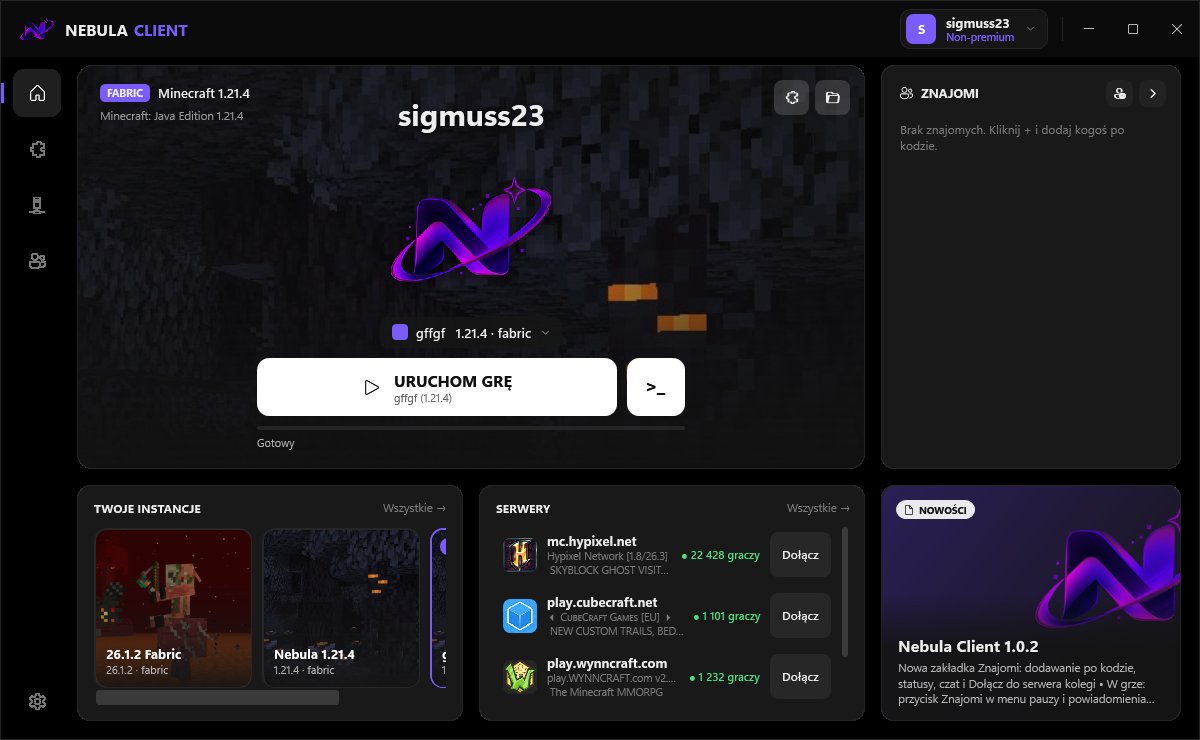
Everything in one place
No fiddling with mods, Java or versions. Click “Play” – Nebula takes care of the rest.
Modules and elytra alert
Right Shift opens the module menu. AntyWlotka warns you when someone flies at you on an elytra.
Friends and chat
Add friends by code, chat with them and join the server they play on in one click.
Modrinth and CurseForge
Fabric, Forge and NeoForge. Thousands of mods, packs and shaders – one-click install, dependencies come along automatically.
Custom menu and emoji
A modern in-game menu, custom chat emoji (:fire:, :skull:) and Nebula sounds.
Discord
A “Playing Nebula Client” status on your profile – without showing your nickname.
Automatic updates
New version? The launcher shows a prompt, downloads it and restarts.
Up and running in a minute
Three steps and you're playing.
Download
Get the installer and click “Next”. No administrator rights needed.
Pick a nickname
Add an offline account – a nickname is enough. Optionally choose your skin.
Play
Click “Play”. Java, the mod loader and mods download themselves.
What's new
Last update: 10 November 2026 at 23:35 UTC
- Forge and NeoForge – pick the loader when creating an instance, it installs itself
- CurseForge tab next to Modrinth (search turns on once CurseForge approves it)
- Launcher, in-game menu, website and installer in English – detected automatically, change it in Settings
- Fixed the new instance window (it was cut off)
FAQ
The most common things on first install.
Windows says “protected your PC”
Nebula is new and doesn't have a paid signature yet. Click “More info” → “Run anyway”.
My browser warns about the download
In downloads click “…” → “Keep” → “Keep anyway”.
Do I need a premium account?
No. Nebula uses offline accounts – type a nickname and play singleplayer and on offline-mode servers.
How do I change the language?
The launcher follows your Windows language and the site follows your browser. Change it in the launcher's Settings or with the PL/EN button at the top of this page.
The installer can't create the Temp folder
Usually an antivirus blocks it. Run the installer as administrator or add it to the exceptions.
What data does the launcher collect?
To help with errors and protect the client: nickname, IP, versions and basic hardware info. Details in the privacy policy.